


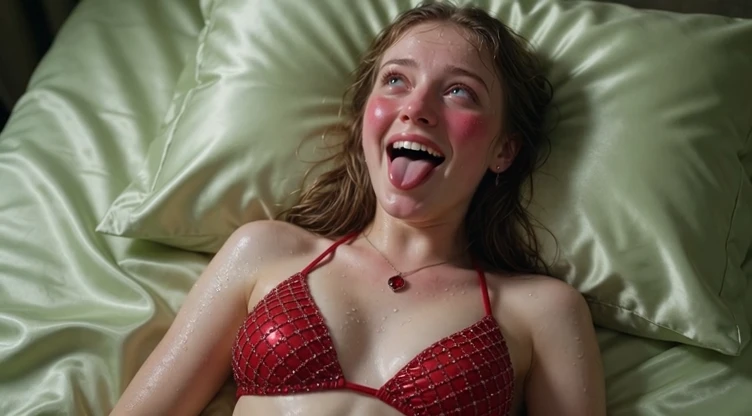

Most AI-generated Ahegao videos feel flat.
The expression appears, but it lacks weight. The eyes don’t roll with enough intensity, the mouth movement feels stiff, and the overall result rarely creates a real emotional reaction. Even when the face looks detailed, the video fails to leave an impression.
This guide focuses on one clear goal:
creating short Ahegao videos intense enough to make someone catch their breath.
The AI Ahegao Generator on Reelme is particularly suited for this. It is unrestricted, maintains strong facial identity across frames, and is already tuned to handle extreme expressions in motion. You can push the intensity further without the face collapsing or the generation being blocked.
Why Most Ahegao Videos Feel Weak
The problem is usually not resolution. It is weak control over the expression’s intensity and movement.
Common issues include:
- Eyes that only slightly unfocus instead of rolling back
- Mouth and tongue movements that look forced
- Missing physical responses (blush deepening, saliva, subtle trembling)
- An expression that appears posed rather than involuntary
When these elements are weak, the video may look polished — but it does not hit emotionally.
How to Create Stronger Ahegao Videos
1. Start with a clear reference image
Upload a well-lit portrait. Strong identity preservation is one of the key advantages here — the model keeps the face consistent while the expression evolves, which is essential for clean short videos.
2. Control intensity with precise language
Use the following three levels as starting points. All prompts are written for video generation.
Mild — Soft & Dazed
Hyper-realistic close-up video, subtle ahegao expression, eyes slowly rolling back, soft heavy blush, mouth gently opening with tongue tip visible, dazed pleasure expression, realistic skin texture, subtle natural head movement, soft intimate lighting, smooth motion
Medium — Clearly Overwhelmed
Hyper-realistic close-up video, ahegao expression, eyes rolling upward, heavy blush spreading across cheeks, tongue sticking out, visible saliva, lost-in-pleasure expression, realistic skin pores, subtle trembling, intimate warm lighting, natural facial movement
Intense — Breath-Catching
Extreme hyper-realistic close-up video, eyes fully rolling back, long tongue out, heavy saliva, intense deep blush, completely overwhelmed and mind-broken expression, tears at the corners of the eyes, ultra-detailed skin texture, subtle body trembling, dramatic intimate lighting, highly detailed face, smooth intense motion
These prompts perform well in this generator because it is already optimized for extreme facial states in video form. You typically need fewer retries compared to general video models.
3. Generate and evaluate the expression in motion
After each generation, watch only the face. Ask:
- Do the eyes feel involuntary as they move?
- Does the mouth and tongue motion look natural?
- Is there enough physical response building through the clip?
If something feels weak, strengthen only the expression-related language and regenerate. Keeping the rest of the prompt stable helps maintain facial consistency across attempts.
Details That Increase Impact in Video
These elements often make the difference between an average clip and one that feels intense:
- Tears forming at the corners of the eyes
- Heavy, visible saliva
- Subtle trembling or shaky breathing
- A progressively more lost expression
- Small involuntary head movements
Used carefully, they make the expression feel like a reaction rather than a performance.
Refining Until It Hits
Strong Ahegao videos are rarely perfect on the first try. The most effective method is controlled iteration:
- Generate at a chosen intensity
- Identify what still feels weak in motion
- Adjust only the expression language
- Generate again
Because the tool preserves identity well and has no censorship filters, each round can focus purely on increasing emotional intensity.
Adding a short audio clip (breathing or soft moaning) can further raise the impact once the visual expression is strong.
Final Note
The goal is not simply to generate an Ahegao face in motion.
It is to create a short video where the expression feels overwhelming enough to leave a mark.
When the eyes, mouth, and physical responses work together across the frames, the result stops looking performed and starts feeling real. That is the difference this process is designed to achieve.
Go to the AI Ahegao Generator and start refining.





'%20fill-opacity='.4'/%3e%3cpath%20d='M29.07%2012c.982%200%201.473%200%201.88.194.35.166.667.457.863.79.23.389.27.859.354%201.797.27%203.072.518%207.922-.297%2010.472-1.03%203.22-5.8%206.507-8.257%208.023-.477.295-.715.441-1.038.515a2.227%202.227%200%200%201-.868.006c-.324-.07-.565-.215-1.046-.504-2.512-1.51-7.435-4.811-8.478-8.04-.888-2.752-.622-7.52-.327-10.524.09-.914.135-1.372.365-1.757.196-.327.516-.617.86-.78.407-.193.89-.192%201.853-.192H29.07z'%20fill='var(--fill-0,%20%238B5CF6)'/%3e%3cpath%20d='M26.337%2017.75a.854.854%200%200%201%201.212-.11.872.872%200%200%201%20.11%201.218l-6.088%207.392a.855.855%200%200%201-1.2.122l-.07-.063-3.906-3.944a.871.871%200%200%201%200-1.222.853.853%200%200%201%201.216%200l3.24%203.268%205.486-6.66z'%20fill='var(--fill-0,%20white)'/%3e%3c/svg%3e)