


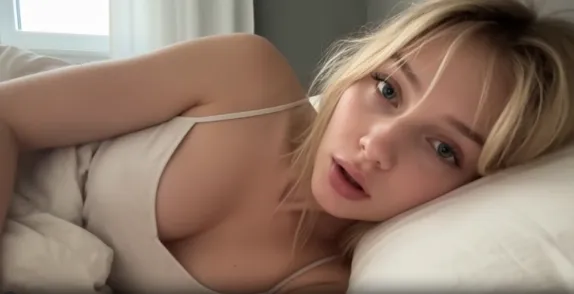

Turning a single powerful image into a living, breathing video is one of the most valuable skills an adult creator can master in 2026. Whether you start with a photorealistic portrait, a carefully posed reference, or a custom-generated still, the right image-to-video workflow lets you produce cinematic motion, subtle body dynamics, intimate interactions, and looping clips that perform far better on platforms than static images alone.
Reelme.ai was built specifically for this workflow. Its image-to-video tools are designed around the needs of adult and sensual creators: strong identity preservation, unrestricted motion styles, natural skin and fabric behavior, and templates that remove the guesswork from prompting. Below is a practical collection of templates and approaches that work reliably on the platform.
Why Image-to-Video Matters for Adult Creators
Static images still convert, but short, well-executed videos consistently outperform them in engagement, watch time, and monetization. The key advantages of a strong image-to-video pipeline are:
- Character consistency across multiple clips
- Controlled, natural motion (breathing, hair movement, fabric shift, subtle expressions)
- Ability to generate variations quickly from one strong base image
- Higher perceived production value without needing a full video shoot
- Easy creation of loops, transitions, and short narrative moments
Reelme’s image-to-video models (including current integrations of Seedance, Wan, Vidu, and related engines) handle identity lock and sensual motion particularly well when you feed them a clean, high-quality source image and a focused prompt.
Core Template Structure That Works
Most successful adult image-to-video prompts on Reelme follow a clear structure:
- Source image reference – Upload a high-resolution, well-lit, clear face + body image.
- Subject & identity lock – Explicitly tell the model to preserve the exact face, body proportions, skin tone, and hair.
- Primary action / motion – One clear, continuous movement.
- Secondary details – Hair, fabric, lighting, atmosphere.
- Camera & technical quality – Lens feel, depth of field, resolution cues.
- Style & mood – Photorealistic, cinematic, soft sensual, etc.
Keeping the motion request focused (one main action) produces more stable and natural results than trying to pack too many movements into a single generation.
Ready-to-Use Templates
Here are practical templates you can copy, adapt, and run directly on Reelme. Replace the bracketed parts with your specific details or keep them as guidance.
1. Soft Breathing & Subtle Motion (Ideal for portrait loops)
Preserve the exact face, body, and identity from the reference image. The woman breathes slowly and naturally, chest rising and falling gently. Soft hair movement with slight breeze. Subtle eye blink and micro-expression of calm pleasure. Soft cinematic lighting, shallow depth of field, photorealistic skin texture, high detail, smooth natural motion.
2. Fabric & Clothing Shift
Keep the exact face and body identity locked from the uploaded image. The fabric of her outfit shifts and drapes naturally with gentle body movement. Soft cloth physics, realistic wrinkles and highlights. Slow, sensual motion, photorealistic materials, cinematic lighting, high detail.
3. Hair & Wind Interaction
Identity locked to the reference image. Long hair moves naturally in a light breeze, strands catching the light. Soft facial expression remains consistent. Photorealistic hair physics, gentle motion, warm golden-hour lighting, shallow depth of field.
4. Intimate Close-Up Expression
Preserve exact facial features and identity. Slow, subtle change in expression — soft smile forming, eyes half-lidded with quiet intensity. Minimal head movement, natural micro-expressions. Extreme close-up, cinematic, photorealistic skin detail, soft directional lighting.
5. Body Sway / Standing Motion
Exact identity preservation from the source image. She shifts her weight slowly from one leg to the other, natural hip and shoulder movement, relaxed posture. Fabric follows the body. Smooth, realistic motion, full-body framing, photorealistic, soft ambient light.
6. Sitting / Reclining Subtle Motion
Lock face and body identity. She adjusts her posture slightly while seated or reclining — small shift of shoulders, hand resting, soft breathing. Natural fabric movement. Intimate framing, warm lighting, photorealistic skin and material detail.
7. Walking / Approach Clip
Identity locked. She takes a few slow, confident steps toward the camera. Natural gait, hair and clothing responding to movement. Cinematic tracking feel, photorealistic, consistent lighting.
8. Mirror / Reflection Variation
Keep the exact identity. Soft movement while looking into a mirror — slight turn of the head, hand adjusting hair or fabric. Reflection stays consistent with the subject. Elegant lighting, photorealistic.
These templates prioritize controlled, natural motion over exaggerated action. On Reelme this approach tends to produce cleaner results with better temporal consistency.
Advanced Tips for Better Results on Reelme
- Start with a strong source image. Clean face, good lighting, and clear body pose give the model far more to work with.
- Use identity-preservation language early in the prompt (“preserve exact face and body identity”, “identity locked to reference”).
- Keep the primary motion simple. One clear action usually outperforms complex multi-stage movements.
- Generate multiple short clips from the same image and select the best takes. Consistency improves when you stay within the same model and seed range when available.
- For sensual content, focus on micro-movements (breathing, fabric, hair, expression) rather than large, dramatic actions. These often feel more intimate and perform better.
- Test different aspect ratios and lengths. Short 3–6 second loops are frequently the most versatile for social platforms and site embeds.
- Combine with Reelme’s other tools (face fusion, clothes change, upscaler) when you need variations of the same character across different outfits or scenes.
Building a Reusable Workflow
A practical creator workflow looks like this:
- Generate or select a high-quality base image (or batch of images).
- Run 3–5 image-to-video variations using the templates above.
- Pick the strongest motion takes.
- Optionally upscale or lightly refine.
- Create short loops or stitch a few clips for longer pieces.
- Save successful prompt + image pairs as personal templates for future consistency.
Over time you build a library of proven image + prompt combinations that deliver reliable quality and character continuity.
Final Thoughts
Image-to-video is no longer an experimental side feature-it is becoming a core production method for adult creators who want high visual quality without traditional production costs. The templates above are designed to be practical starting points. Adapt the motion descriptions, lighting, and framing to match your specific aesthetic, and let Reelme handle the generation.
Upload a strong image, lock the identity, keep the motion focused, and iterate. That combination currently produces some of the most usable sensual video content available from a single still.
Start with one of the templates on Reelme, generate a few variations, and refine from there. The difference between a static image and a well-executed short video is often the difference between being scrolled past and being watched.


'%20fill-opacity='.4'/%3e%3cpath%20d='M29.07%2012c.982%200%201.473%200%201.88.194.35.166.667.457.863.79.23.389.27.859.354%201.797.27%203.072.518%207.922-.297%2010.472-1.03%203.22-5.8%206.507-8.257%208.023-.477.295-.715.441-1.038.515a2.227%202.227%200%200%201-.868.006c-.324-.07-.565-.215-1.046-.504-2.512-1.51-7.435-4.811-8.478-8.04-.888-2.752-.622-7.52-.327-10.524.09-.914.135-1.372.365-1.757.196-.327.516-.617.86-.78.407-.193.89-.192%201.853-.192H29.07z'%20fill='var(--fill-0,%20%238B5CF6)'/%3e%3cpath%20d='M26.337%2017.75a.854.854%200%200%201%201.212-.11.872.872%200%200%201%20.11%201.218l-6.088%207.392a.855.855%200%200%201-1.2.122l-.07-.063-3.906-3.944a.871.871%200%200%201%200-1.222.853.853%200%200%201%201.216%200l3.24%203.268%205.486-6.66z'%20fill='var(--fill-0,%20white)'/%3e%3c/svg%3e)