

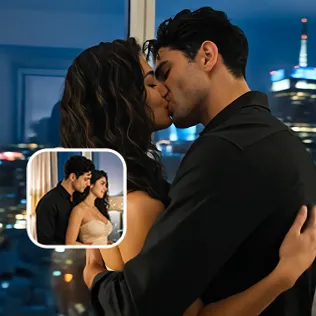



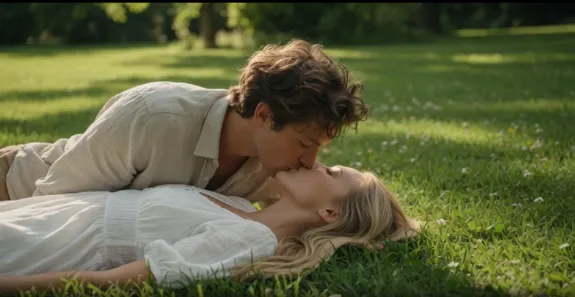

AI kiss videos look simple in the demos. Upload two photos, hit generate, and suddenly two people are leaning in for a kiss. In reality, most people get something that feels off: faces that slowly morph, lips that melt into each other, stiff or rubbery motion, awkward timing, or that unmistakable “AI smooshed them together” look.
These problems are not random. Kissing is one of the hardest actions for current video models. Two faces move into close proximity, partially occlude each other, require believable soft-tissue deformation, and must keep both identities stable across every frame. Most general image-to-video tools were never optimized for this specific interaction.
Here’s a practical breakdown of the most common quality failures and how to actually fix them.
💍Identity Drift
The face gradually stops looking like the person in the original photo. Features shift, skin tone changes, or one subject slowly turns into a vague lookalike.
Why it happens:
Video models rebuild the face almost frame by frame. Without strong identity locking, small errors accumulate—especially when faces overlap.
How to fix it:
✅️Use the sharpest original photos you have (preferably 1080p or higher). Avoid screenshots and heavily compressed images.
✅️Choose front-facing or lightly angled shots with clear, unobstructed faces.
✅️Match lighting and color temperature between the two source images as closely as possible.
✅️Prefer tools that treat identity preservation as a priority rather than a secondary feature.
👄Face Warping and Rubber Motion
Cheeks stretch, jaws wobble, noses blend into a single blob at the contact point, or the lean-in looks elastic instead of physical.
Why it happens:
The model struggles with occlusion ordering and soft-tissue physics when two facial regions compete for the same space. Weak motion models or mismatched source angles make it worse.
How to fix it:
- Crop tightly to the two subjects so the model doesn’t waste capacity on background or extra people.
- Start with photos where the subjects are already relatively close and facing toward each other.
- Keep motion intensity moderate. Extreme “passionate” settings often increase warping.
- Avoid heavily filtered or over-smoothed source images. Natural skin texture gives the model better landmarks.
❤️Awkward Timing and Stiff Movement
The kiss happens too fast or too slowly. Heads move like robots. Eyes don’t close naturally. The overall rhythm feels forced.
Why it happens:
Real kisses contain subtle micro-timing—a slight head tilt, a short pause, soft eye closure, small adjustments in the shoulders or hands. Generic models often produce averaged or exaggerated motion.
How to fix it:
- Describe the quality of movement, not just the action. Phrases like “slow gentle lean-in,” “soft lip contact,” “eyes closing slowly,” or “natural micro-movements” help.
- Keep clips short (3–6 seconds) and focused on a single clear action.
- Generate multiple variations and select the one with the most natural rhythm instead of accepting the first result.
👾Lighting and Texture Mismatches
One face looks brighter or differently colored than the other. Skin becomes waxy. Background lighting doesn’t match the subjects.
Why it happens:
Separate source photos often have different lighting directions, white balance, or quality. The model has to reconcile them during generation.
How to fix it:
- Match lighting conditions between the two photos as much as possible.
- Prefer evenly lit, front-lit portraits over dramatic side lighting or strong backlighting.
- Avoid heavy filters that bake unnatural contrast and color into the pixels.
👻Source Photo Checklist (Most Failures Start Here)
Many “bad generations” are actually bad inputs. Use this quick checklist:
- Both faces are sharp and clearly visible
- Eyes, lips, and jawlines are readable
- No heavy hair, hands, sunglasses, or masks blocking key features
- Subjects are roughly the same size in the frame
- Enough headroom and shoulder space for natural movement
- Simple or softly blurred background
- Original high-resolution files, not screenshots or reposts
Low-resolution, blurry, group, or heavily filtered photos are the fastest way to get poor results on almost every tool.
👒Why Dedicated Tools Usually Perform Better
General video models treat kissing as just another motion prompt. Dedicated kiss generators (and platforms that include a properly built Kiss Generator) handle the hard parts more effectively: keeping two identities stable during close contact, producing more natural lip and head dynamics, and offering style options that range from cinematic and romantic to more stylized or intimate.
This is where tools like Reelme tend to stand out for creators who care about consistent results. Instead of fighting generic motion models, you work with a system designed around facial interaction. Identity holds up better, motion feels less rubbery, and you spend less time generating unusable clips.
Reelme also makes it easier to combine the kiss effect with other refinements in the same workflow—adjusting the source images first, locking identity more carefully, or iterating on style without jumping between different platforms.
👓A Practical Workflow That Actually Improves Results
1. Select or prepare two clear, well-lit, front-facing (or lightly angled) portraits with matched lighting.
2. Crop to the two subjects if the original framing is too wide.
3. Upload to a dedicated kiss tool rather than a general video model.
4. Start with moderate, natural motion settings instead of the most intense option.
5. Generate several variations.
6. Review specifically for identity stability, lip contact quality, and timing.
7. If needed, refine the source images and run another round.
🧩Final Thoughts
AI kiss videos will keep improving, but the gap between a usable result and a glitchy one still comes down to three things: source photo quality, understanding the common failure modes, and choosing tools that treat close facial interaction as a real problem rather than an afterthought.
If you’ve been stuck with melting faces, rubbery motion, or identity drift, start with better inputs and test a platform built for this specific use case. Many creators find that switching to a dedicated tool like Reelme produces noticeably more consistent, shareable results with far less wasted generation time.
Use your best photos, apply the fixes above, and compare the difference yourself. The improvement is usually obvious within the first few attempts.



'%20fill-opacity='.4'/%3e%3cpath%20d='M29.07%2012c.982%200%201.473%200%201.88.194.35.166.667.457.863.79.23.389.27.859.354%201.797.27%203.072.518%207.922-.297%2010.472-1.03%203.22-5.8%206.507-8.257%208.023-.477.295-.715.441-1.038.515a2.227%202.227%200%200%201-.868.006c-.324-.07-.565-.215-1.046-.504-2.512-1.51-7.435-4.811-8.478-8.04-.888-2.752-.622-7.52-.327-10.524.09-.914.135-1.372.365-1.757.196-.327.516-.617.86-.78.407-.193.89-.192%201.853-.192H29.07z'%20fill='var(--fill-0,%20%238B5CF6)'/%3e%3cpath%20d='M26.337%2017.75a.854.854%200%200%201%201.212-.11.872.872%200%200%201%20.11%201.218l-6.088%207.392a.855.855%200%200%201-1.2.122l-.07-.063-3.906-3.944a.871.871%200%200%201%200-1.222.853.853%200%200%201%201.216%200l3.24%203.268%205.486-6.66z'%20fill='var(--fill-0,%20white)'/%3e%3c/svg%3e)