



Introduction: A Powerful Tool for AI Creation
Seedance 2.0 is a multimodal video generation model developed by ByteDance. It supports a wide range of inputs including text, images, videos, and audio, enabling the creation of short video clips (typically 4-15 seconds) with excellent motion stability, natural lip-sync, and built-in audio. It offers director-level control and supports resolutions up to 1080p, delivering cinematic-quality results.
While the official version has strict restrictions on adult content, uncensored versions available on third-party platforms (such as Siray.ai, Venice AI, Reelme.ai, and others) provide greater creative freedom. These allow the generation of content featuring realistic faces, body details, and intimate scenes, making them popular for adult art, narrative videos, and virtual character creation.
Step 1: Choosing and Preparing an Uncensored Platform
Popular third-party platforms for uncensored access include:
- Siray.ai: Known for high success rates and strong performance in generating realistic and expressive adult videos and avatars.
- Venice AI: Offers open face and content generation with an active community.
- Reelme.ai: Focuses on high-quality video generation, supports multimodal inputs, and is favored by many adult content creators.
- Oxen.ai and similar services: Provide direct, filter-free access.
After registering, upload your reference materials (character images, short action clips, and ambient audio). These assets play a crucial role during generation.
Step 2: Understanding the Model’s Multimodal Capabilities
Seedance 2.0 excels at handling multiple inputs simultaneously. After uploading images, videos, or audio files to the platform, you can reference them in your prompt using specific syntax (e.g., @Image1, @Video1, etc.). The model will then accurately incorporate these uploaded materials into the generation process.
Purpose of Reference Tags:
Platforms automatically number your uploaded files. By including the corresponding tag in your prompt, you instruct the model to “call” and use that specific asset. For example, reference an uploaded character photo to guide appearance and body type, or an action video to replicate movements. This significantly improves character consistency, natural motion, and overall quality — especially valuable for 18+ content that requires stable character portrayal.
Step 3: Prompt Writing Techniques and Practical Examples
The quality of your prompt directly affects the output. Use a structured approach: start with scene and atmosphere, detail character actions, lighting, and emotions, then include instructions for calling your uploaded assets. Here are several examples (replace tags with your actual uploaded file numbers):
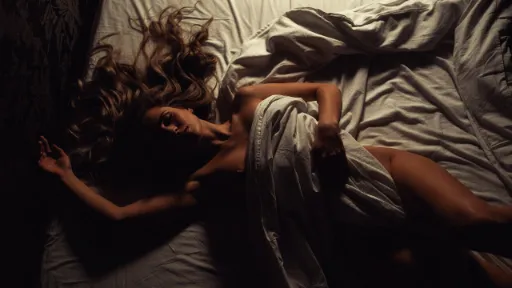
Example 1: Morning Awakening Scene
A young woman with a well-proportioned, elegant figure slowly wakes up and rises from bed in soft, warm morning light. She stretches gracefully, her smooth shoulder and back lines flowing naturally with gentle, fluid movements. She has a soft, dreamy, and peaceful expression on her face. The camera slowly circles around her in a smooth, cinematic motion, capturing intimate details of her form, skin texture, and the gentle stretching. Warm golden sunlight streams through the window, creating beautiful highlights and soft glows on her skin and the bedroom environment. High-definition realistic style, photorealistic details, natural and sensual morning atmosphere, smooth slow-motion elements in key movements, cinematic lighting, 4K quality, masterpiece video.
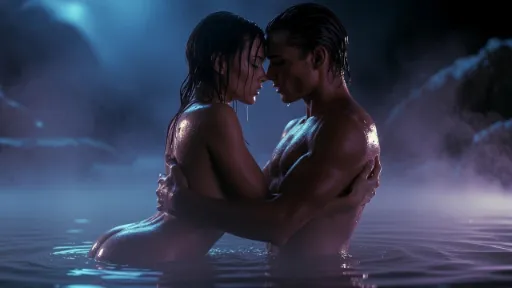
Example 2: Intimate Hot Spring Interaction
Under soft moonlight by a serene natural hot spring pool, a nude couple intimately embraces in the shallow steaming water. The woman and man are tenderly intertwined, their wet skin glistening with water droplets sliding sensually down their curves. Gentle steam rises from the hot spring surface, creating an ethereal atmosphere. The camera captures a smooth, intimate composition following the elegant lines of their bodies, highlighting water reflections and subtle skin textures. Cinematic blue-purple moonlight tones bathe the entire scene, with cool moonlight highlights contrasting the warm glow from the pool. Highly detailed, photorealistic, sensual yet tender mood, artistic nude photography style, soft focus on droplets and reflections, moody atmospheric lighting, 8k resolution, masterpiece.
Example 3: Candlelit Bedroom Moment
In a classical room with flickering candlelight, a woman slowly removes her sheer gauze, her skin glowing warmly. Her pose is captivating, with close-up shots focusing on touch details and background low rhythmic sounds in a cinematic narrative style. Call the uploaded character images to maintain facial and body consistency, and the action video to guide pose changes.
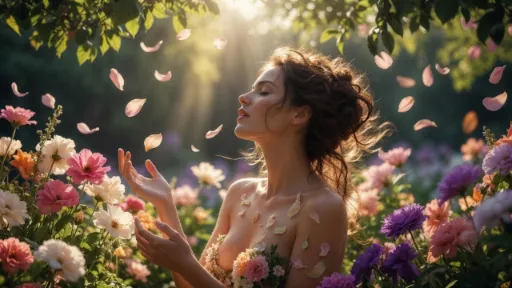
Example 4: Garden Natural Rhythm
A highly detailed, artistic realistic photograph of a beautiful woman bathing gracefully amid abundant blooming flowers in a lush natural garden. She is surrounded by and gently immersed in a cascade of softly falling flower petals that drift around her body, blending seamlessly and harmoniously with the vibrant flora and her skin. Her pose is serene, elegant, and fluid, evoking a sense of lightness and connection with nature. Warm sunlight filters through overhead foliage, casting beautiful dappled shadows and golden highlights across her form, petals, and the surrounding blooms. Intricate details on petals, flower textures, skin, hair, and natural lighting are emphasized. Cinematic composition with a dreamy, ethereal atmosphere, soft bokeh background, exquisite color grading, and photorealistic rendering in an artistic fine-art style.
Example 5: Passionate Duo Fusion
In a luxurious room, two people draw close with deep affection, skin contact full of tension. Movements are natural and continuous, alternating medium and close-up shots to highlight body curves, with soft side lighting and synced gentle background music. Call multiple images for character stability and the video to guide interaction rhythm.
Example 6: Steamy Bathroom Series
In a steam-filled bathroom, a woman stands under the shower as water flows down her neck, chest, and waist. Pose is relaxed, with the camera advancing to capture water droplets and skin texture in a warm misty atmosphere and high-detail realistic style. Call the character image to define body shape and the audio to enhance water sound effects.
Prompt Tips:
- After uploading assets, clearly indicate which file to call (by platform numbering).
- The more specific your description, the better the model utilizes the references.
- Start with fewer assets to test consistency, then scale up.
- Iterate by adjusting calls or descriptions based on initial results.
Step 4: Complete Creation Workflow
- Upload reference images, videos, and audio on your chosen platform.
- Write a detailed prompt that includes asset calls and generate.
- Review results and iterate (refine descriptions or swap references).
- Post-process: stitch clips, color-grade, and add elements to finalize.
- Save and share your finished work.
Conclusion: Exploring Creative Boundaries
With the uncensored version of Seedance 2.0 on platforms like Siray.ai, Venice AI, Reelme.ai, and others, you can efficiently create high-quality 18+ photos and videos. Reference tags allow the model to better understand and utilize your uploaded materials for more stable and consistent results.
The creation process is rewarding and benefits from patience and refinement. We hope this guide helps you get started smoothly.


'%20fill-opacity='.4'/%3e%3cpath%20d='M29.07%2012c.982%200%201.473%200%201.88.194.35.166.667.457.863.79.23.389.27.859.354%201.797.27%203.072.518%207.922-.297%2010.472-1.03%203.22-5.8%206.507-8.257%208.023-.477.295-.715.441-1.038.515a2.227%202.227%200%200%201-.868.006c-.324-.07-.565-.215-1.046-.504-2.512-1.51-7.435-4.811-8.478-8.04-.888-2.752-.622-7.52-.327-10.524.09-.914.135-1.372.365-1.757.196-.327.516-.617.86-.78.407-.193.89-.192%201.853-.192H29.07z'%20fill='var(--fill-0,%20%238B5CF6)'/%3e%3cpath%20d='M26.337%2017.75a.854.854%200%200%201%201.212-.11.872.872%200%200%201%20.11%201.218l-6.088%207.392a.855.855%200%200%201-1.2.122l-.07-.063-3.906-3.944a.871.871%200%200%201%200-1.222.853.853%200%200%201%201.216%200l3.24%203.268%205.486-6.66z'%20fill='var(--fill-0,%20white)'/%3e%3c/svg%3e)